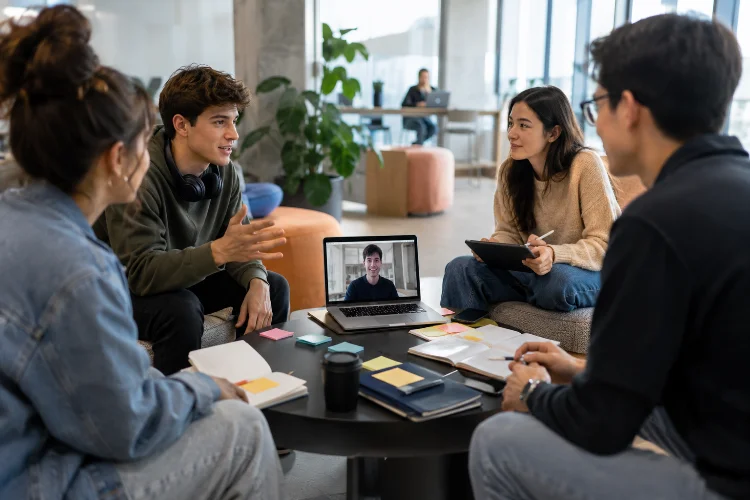
Online group projects can sound easy at first. Nobody has to find an empty classroom, everyone can work from their own location, and shared documents make it possible to contribute without sitting around the same table.
Then reality arrives.
One student responds immediately while another disappears for three days. Someone creates a completely different version of the presentation.
Two people misunderstand the deadline, and the group suddenly discovers that nobody was responsible for writing the conclusion.
Learning how students can collaborate effectively on online group projects is therefore about more than knowing how to use video calls and shared documents.
Strong virtual teamwork requires communication, clear responsibilities, realistic deadlines, accountability, and a system everyone understands.
A systematic review of online group projects identified uneven participation, unclear expectations, limited preparation, and weak relationships as persistent challenges.
Clear guidance, thoughtful project design, and stronger support were among the strategies associated with better experiences.
With a few simple habits, online group work can become much less stressful and far more productive.
Start With a Short Planning Meeting
Do not begin by immediately dividing the assignment.
First, make sure everyone understands what the group is actually trying to produce.
During an initial meeting, review the project instructions together. Discuss the expected final product, grading criteria, deadline, major tasks, and any questions that need clarification.
This may take only 15 or 20 minutes, but it can prevent hours of confusion later.
Research on online collaborative performance has highlighted clear goals, communication, team commitment, and shared responsibility as important elements of successful virtual collaboration.
Before ending the first meeting, every member should be able to answer three questions:
What are we creating?
What am I responsible for?
When does my part need to be finished?
If those answers are unclear, the project is not ready to start.
Divide Responsibilities Clearly
One of the easiest ways for an online project to fail is assuming that “everyone will help with everything.”
That sounds cooperative but often creates confusion.
Instead, divide the work into specific responsibilities.
Imagine four students are preparing a presentation about renewable energy.
One student might research solar energy. Another handles wind power. A third organizes statistics and visual evidence. The fourth coordinates the final presentation and checks whether all sections connect logically.
Roles do not need to become rigid job titles.
Students can help each other when necessary.
The purpose is simply to make ownership visible.
Carnegie Mellon University’s Eberly Center recommends designing group work around both interdependence and individual accountability.
Effective teams need members to depend on one another while still knowing who is responsible for particular contributions.
Without individual responsibility, group members can easily assume someone else will handle an unfinished task.
Create One Central Workspace
Online projects become messy when information is scattered across too many platforms.
The research is in one chat.
The presentation is in someone’s personal folder.
Meeting notes are somewhere else.
Feedback is buried inside dozens of messages.
Choose one central digital workspace for important project materials.
This might include a shared document, folder, spreadsheet, presentation, or project board that every team member can access.
Cornell University’s collaborative-learning guidance notes that shared documents can support both synchronous and asynchronous teamwork while allowing students to revisit, edit, and build on one another’s contributions.
Create folders with simple names such as:
Research
Drafts
Images and Data
Final Project
Use clear filenames too.
“Presentation_Final” is better than “presentationnewFINALfinal2.”
A little organization early can save a surprising amount of time later.
Agree on Communication Rules
Students have different communication habits.
One person checks messages every ten minutes.
Another checks them once each evening.
Neither approach is automatically wrong, but the difference becomes a problem when nobody discusses expectations.
At the beginning of the project, choose a primary communication channel and agree on reasonable response times.
For example:
“We will use the group chat for quick questions and reply within 24 hours on weekdays.”
Also decide when a video meeting is actually necessary.
Not every decision requires a one-hour call.
Simple updates can happen asynchronously, while complicated disagreements or major planning decisions may be easier to discuss live.
A 2024 scoping review of online group work found that communication difficulties, technical problems, and scheduling synchronous meetings were common barriers, while joint responsibility and stable group arrangements could support collaboration.
Good communication is not about sending more messages.
It is about making important information easy to find and understand.
Set Internal Deadlines Before the Real Deadline
If the assignment is due Friday at midnight, the group should not plan to finish Friday at 11:30 p.m.
Create an earlier internal deadline.
For example, individual research could be due Monday, first drafts Wednesday, editing Thursday, and the final review Friday afternoon.
This leaves time to fix mistakes.
It also makes progress easier to track.
Break large assignments into milestones such as research, outline, first draft, peer review, revision, and submission.
Cornell recommends asking student groups to create a timeline and action plan that clearly identifies group goals and individual responsibilities.
Internal deadlines also help reveal problems early.
If someone misses Monday’s research deadline, the group still has several days to respond.
Discovering the same problem twenty minutes before submission is much harder.
Make Individual Progress Visible
One common frustration with group projects is unequal participation.
Sometimes one or two students quietly complete most of the work while everyone receives the same result.
Visibility helps reduce this problem.
A shared task tracker can show:
Task: Research statistics
Owner: Maria
Deadline: Tuesday
Status: Complete
Another option is using shared-document editing history so contributions remain visible.
This should not become constant surveillance.
The goal is accountability.
Carnegie Mellon notes that group projects can help students learn how to delegate responsibilities, manage time, give feedback, solve complex problems, and hold one another accountable when the work is structured effectively.
Students should also communicate early when they cannot complete something.
“I may be late because I have two exams tomorrow” is useful information.
Silence is not.
Problems are much easier to solve when the team knows about them before the deadline.
Do Not Simply Combine Separate Pieces at the End
Dividing work is useful, but online collaboration should not become four individual assignments pasted together.
The final product needs a consistent argument, structure, style, and level of quality.
Schedule time for integration.
Everyone should read at least the important sections written by other members.
Ask whether ideas repeat unnecessarily, terminology is consistant, sources are reliable, and transitions make sense.
Suppose each student creates five presentation slides separately.
Individually, the slides may look fine.
Together, they could use four different design styles, repeat the same statistics, contradict one another, or suddenly jump between topics.
The team needs a final editing stage where the project becomes one coherent product.
This is where genuine collaboration happens.
Students stop thinking only about “my part” and begin thinking about “our project.”
Use Peer Feedback Before Submission
Peer feedback is one of the easiest ways to improve group work.
Before finalizing the assignment, have team members review sections they did not create.
Someone working on the introduction can review the conclusion.
The person responsible for data can check whether statistics are interpreted correctly elsewhere.
Cornell notes that peer review encourages students to apply subject knowledge, develop feedback skills, and engage more deeply with assignment requirements.
Feedback should be specific.
Instead of saying:
“This section isn’t good,”
try:
“The main idea is clear, but the second paragraph needs evidence to support the claim.”
Criticize the work, not the person.
Good online teamwork depends on students feeling comfortable identifying problems without turning every disagreement into personal conflict.
Handle Conflict Early and Professionally
Conflict is normal.
Students may disagree about ideas, workload, meeting times, design choices, or quality standards.
Ignoring the disagreement rarely makes it disappear.
Cornell recommends setting teamwork expectations early, including communication standards, accountability, regular meeting arrangements, and a process for handling conflict. Team contracts can make those expectations more explicit.
When a problem appears, describe it specifically.
Avoid:
“You never contribute.”
Try:
“We agreed to have the research finished yesterday, but that section is still missing. Can you tell us when you can complete it?”
The second version focuses on the problem that needs solving.
If disagreement continues, return to the assignment requirements and shared goal.
Sometimes the best question is:
“Which option makes the final project stronger?”
That shifts the conversation away from personalities.
If a member repeatedly fails to participate despite reasonable attempts to resolve the issue, document the situation and follow the instructor’s group-work policy.
Respect Different Schedules and Working Styles
Online teams may include students with jobs, family responsibilities, different class schedules, or even different time zones.
Expecting everyone to be available constantly is unrealistic.
This is where asynchronous collaboration becomes useful.
A student can leave comments in a document at 8 p.m., while another responds the next morning.
Not every contribution needs to happen simultaneously.
Research on online group projects shows that poor relationships, uneven participation, and difficulties coordinating work can undermine collaboration, which makes preparation and clear processes especially important.
Ask about availability early.
If everyone knows that one group member works every Tuesday evening, there is no reason to keep scheduling Tuesday meetings and becoming frustrated when they cannot attend.
Flexibility works best when paired with responsiblity.
Students may work at different times, but everyone still needs to meet agreed deadlines.
Keep Meetings Short and Action-Oriented
A successful online group meeting does not need to last two hours.
Long meetings can become repetitive and exhausting.
Before meeting, prepare a small agenda.
For example:
Review progress.
Resolve the research question.
Decide presentation order.
Assign next tasks.
Set the next checkpoint.
After discussing each item, identify the decision and who is responsible for the next action.
One student can keep short meeting notes in the shared workspace so absent members can catch up.
Do not spend 30 minutes discussing something that could have been solved with one message.
Use meetings for decisions, discussion, coordination, and problems that genuinely benefit from real-time interaction.
Effecient collaboration leaves more time for doing the actual project.
Treat Collaboration as Part of the Assignment
Students sometimes view teamwork as an inconvenient step between receiving an assignment and submitting the final product.
It is more useful to treat collaboration as a skill of its own.
A systematic review of international online collaboration competencies found that virtual teamwork requires multiple competence areas and noted the growing importance of preparing higher-education students for professional collaboration across digital environments.
Online group projects can teach students how to communicate across distance, manage shared deadlines, resolve disagreements, divide complex work, give constructive feedback, and coordinate through digital tools.
Those abilities extend far beyond school.
Remote and hybrid teamwork is now common across many industries.
Every frustrating group project is therefore also an opportunity to become better at a skill students may use repeatedly in their careers.
Effective online group projects depend less on having sophisticated technology and more on having a clear system for working together.
Students should begin by understanding the assignment, dividing responsibilities, agreeing on communication rules, creating internal deadlines, and keeping important materials in one shared workspace.
Progress should remain visible, while peer feedback and final integration help ensure that the project feels like one coherent piece of work rather than several disconnected contributions.
Conflict and scheduling problems will still happen. The goal is not to create a perfectly smooth project but to address difficulties early and professionally.
For your next online group assignment, start with one simple step: schedule a short planning meeting before anyone begins working seperately.
Agree on roles, deadlines, tools, and communication expectations. That small investment can make the entire project easier to manage.